best-of · Best
Best 3D Printers for Kids (2026): Picks by Age & Budget
By Leo · Updated 2026-09-06
What makes a 3D printer kid-safe?
Any FDM printer is kid-safe with the right three things: PLA-only material (no fumes to manage), auto bed leveling (fewer failure loops that kill a kid’s patience), and supervision matched to age — the hotend runs 200 °C+ in every machine on this list, enclosure or not. What separates a good kids’ printer from a cheap adult one is whether the software lets a child go from “I want to print a dragon” to a finished print without touching a slicer.
Every pick below makes that trade explicitly. None of these machines has been through our test protocol yet (specs below are manufacturer-published; community consensus is labeled as such) — this guide ranks by how well each fits a specific age, because “best for kids” is really four different purchases.
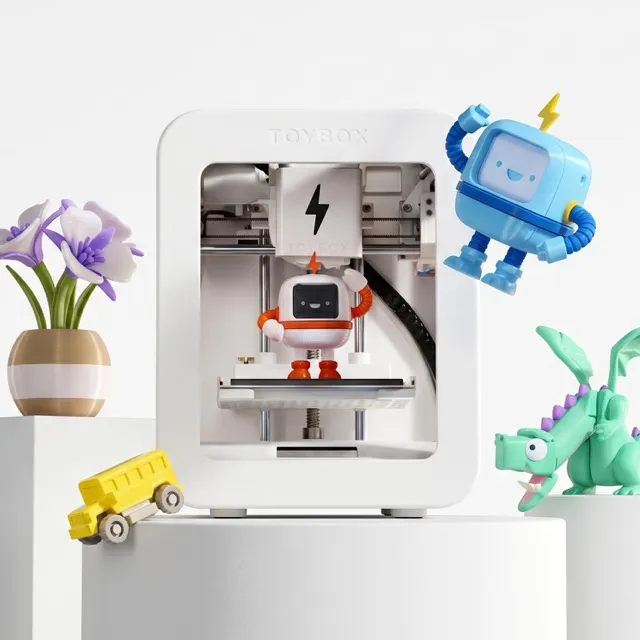
Best for ages 4–8: Toybox 3D Printer
Toybox Labs
Toybox 3D Printer
- build volume
- 70 × 80 × 90 mm
- max speed
- ~60 mm/s (Alpha Three up to 2× faster)
The Toybox is the only printer on this list designed for a child to operate start-to-finish: one-touch printing from a curated catalog of thousands of toy models (including licensed characters), no PC, no slicer, no settings. Setup takes minutes, and the print quality for small figurines is genuinely fine for the purpose — PCMag’s review of the current Alpha Three generation confirms the “toy that works” premise.
The honest trade-offs: the 70 × 80 × 90 mm build volume is tiny even by toy standards (manufacturer spec), the ecosystem is closed (prints route through the Toybox app and account, and it’s PLA-only), and hobbyist forums consistently argue a “real” printer is better value per dollar. That argument misses the point — Toybox isn’t selling print volume, it’s selling a 5-year-old being able to do it alone (within sight). For ages 4–8, that’s usually the right trade. For 9+, it isn’t — read on.
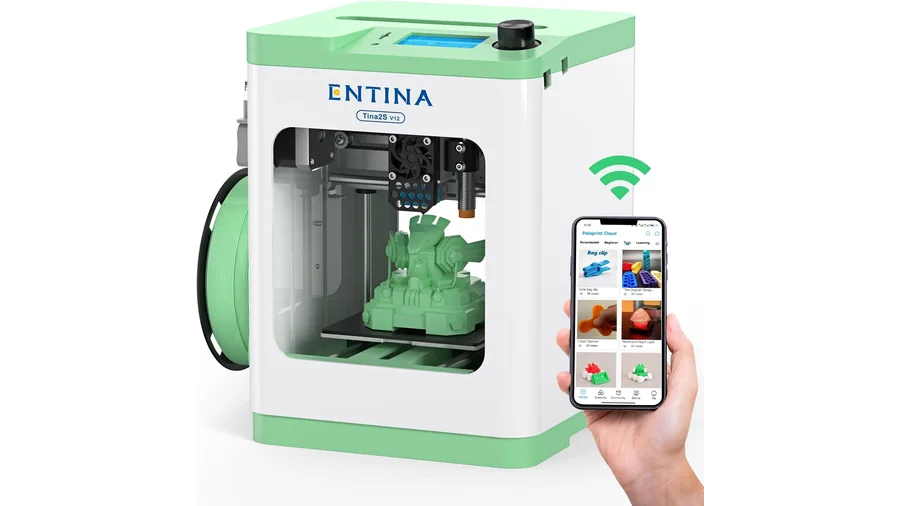
Best value for ages 6–12: Entina Tina2S (~$179)
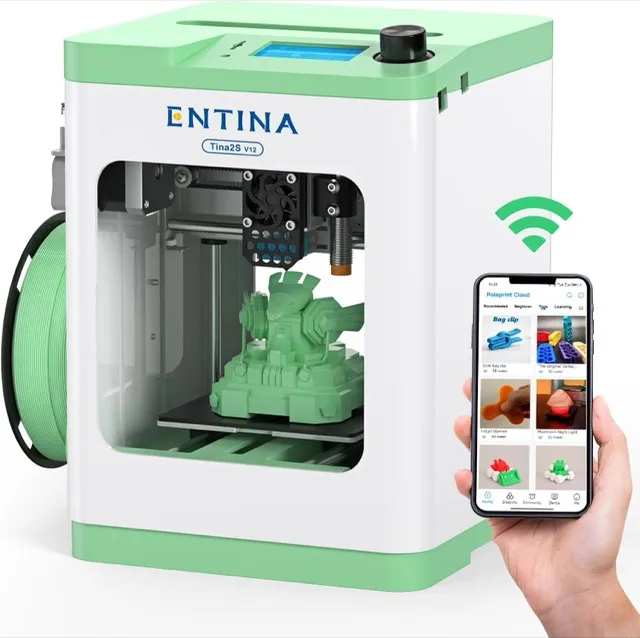
Entina
Entina Tina2S
- build volume
- 100 × 105 × 100 mm
- max speed
- up to 200 mm/s
The Tina2S is the bridge between “toy” and “real printer”: fully assembled out of the box, 3-point auto leveling, a heated bed, and filament-runout detection — features that were premium-tier two years ago — at a toy price ($198.55 at the time of writing, verified Sep 2026; it has dipped under $180 in promotions against an MSRP of $239). Kids start with the app’s built-in model library and grow into downloading their own STLs, which is the actual skill progression you want at this age.
Two things to know before buying. First, the shell is open at the front — the hotend is reachable while it prints — so the same supervision rules apply as any FDM machine. Second, wireless printing goes through the PoloPrint cloud app (community-reported quirk: if Wi-Fi setup frustrates you, the TF-card workflow works without it). Also worth knowing: the same hardware is sold under several brand names (WEEDO/Weefun, Asani — widely reported by the community), so compare listings before paying a brand-name premium.
Most creative for ages 6–12: AOSEED X-Maker Joy
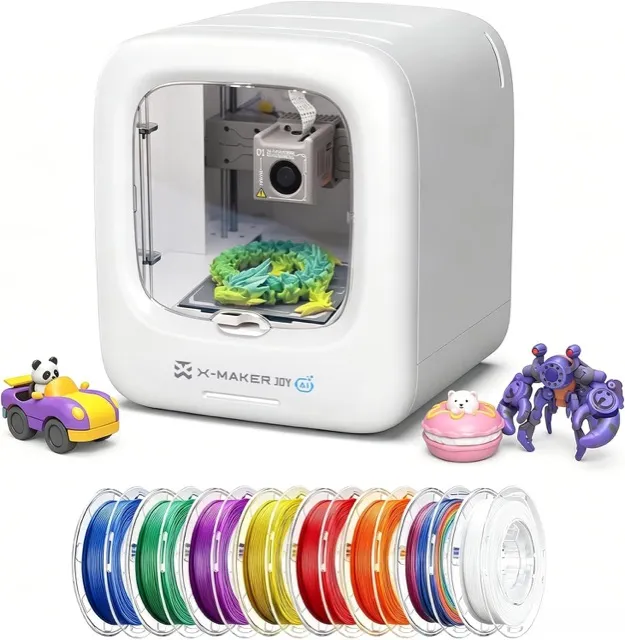
AOSEED
AOSEED X-Maker Joy
- build volume
- 120 × 120 × 120 mm
- max speed
- up to 300 mm/s
Where the Tina2S teaches the workflow, the X-Maker Joy (ages 4–12, per the manufacturer) optimizes for making things up: an app-guided experience where kids draw or doodle and the software turns it into a printable model, plus a camera for capturing their own ideas. The 120 × 120 × 120 mm build volume is the largest of the dedicated kid machines here, and it ships with PLA filaments included.
The cost of that polish is lock-in: there’s no USB workflow, everything runs through the AOSEED app on a phone or tablet over Wi-Fi. Tom’s Hardware rated the X-Maker line for kids, and scattered user reports mention app and support friction — plan on being the family IT admin.
The AI wow pick: KOKONI EC2 (photo-to-toy)
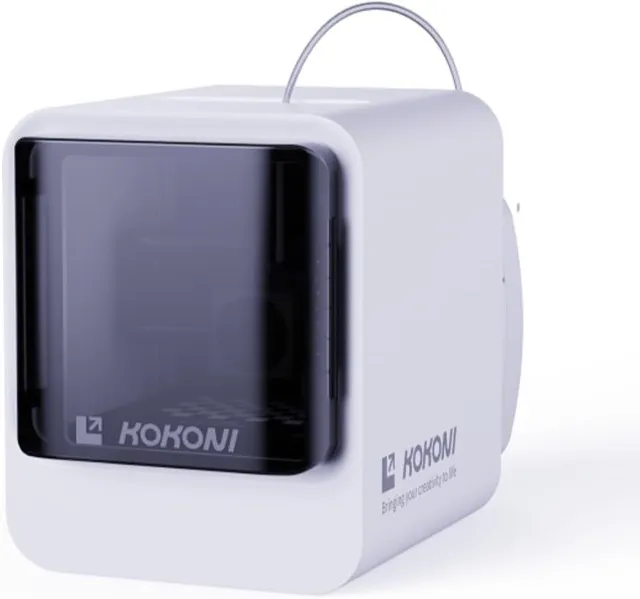
The EC2’s party trick is the one parents demo at dinner: take a photo of a person or object with the built-in camera, and the AI turns it into a 3D model you can print. It’s the same image-to-3D concept we cover in our AI image-to-3D guide — built into a kids’ printer.
Honest expectations: the build volume is the smallest of the “real features” machines here (100 × 100 × 60 mm, manufacturer spec), the 0.6 mm nozzle limits fine detail, and — as with every AI generator — photo-to-3D output usually needs touch-ups before it prints cleanly. Launch MSRP was $349, and availability has been intermittent — the primary Amazon listing was out of stock when we checked (Sep 2026), so check current availability via the link. If the photo-to-toy demo is the thing that gets your kid excited, this is the machine for that kid. If it isn’t, the Tina2S leaves more budget for filament.
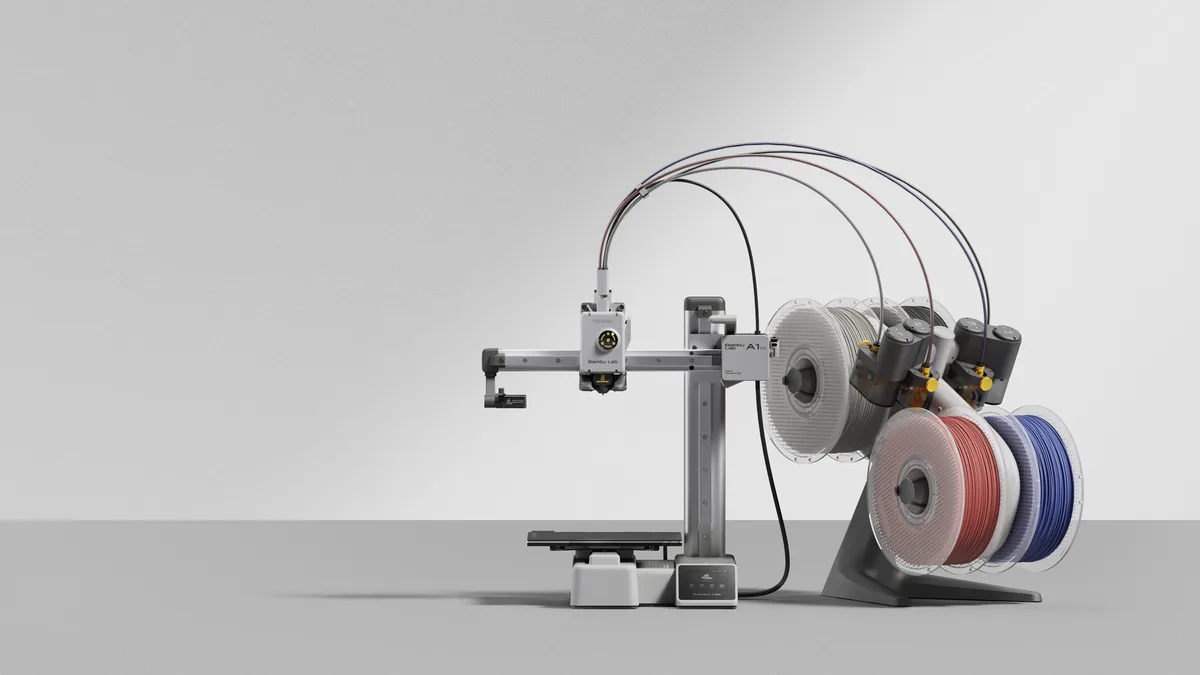
For teens (12+): Bambu Lab A1 Mini — the grow-with-them pick
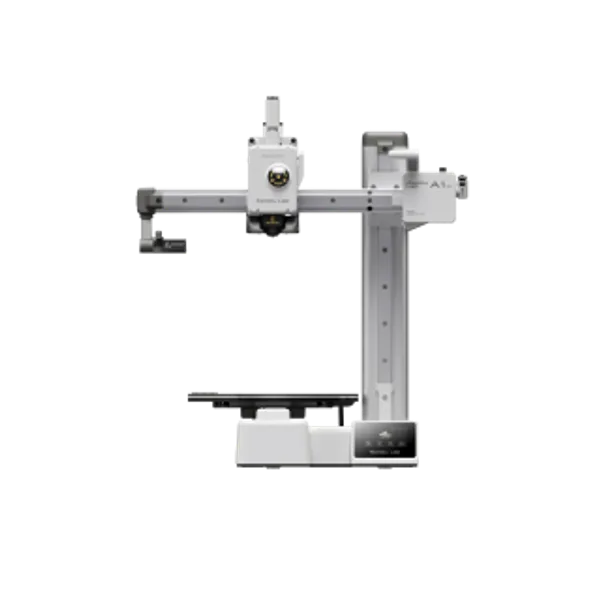
Bambu Lab
Bambu Lab A1 Mini
- build volume
- 180 × 180 × 180 mm
- max speed
- 500 mm/s
- enclosure
- No
At 12+, skip the kid ecosystems entirely — a supervised teen can run a real machine, and the A1 Mini is the one we recommend to adult beginners too. Auto-calibration, 500 mm/s, and stock profiles that work mean early prints succeed, which is what keeps a teen in the hobby past week two. The A1 vs A1 Mini comparison covers the trade-offs; the short version: 180 mm bed, zero regrets otherwise. Our full beginners’ guide has the wider field if you’re also shopping for yourself.
Side by side
| Product | Rating | Build Volume | Max Speed | Buy |
|---|---|---|---|---|
| Toybox 3D Printer | — | 70 × 80 × 90 mm | ~60 mm/s (Alpha Three up to 2× faster) | View |
| Entina Tina2S | 4.2 (community est.) | 100 × 105 × 100 mm | up to 200 mm/s | View |
| AOSEED X-Maker Joy | 4.0 (community est.) | 120 × 120 × 120 mm | up to 300 mm/s | View |
| KOKONI EC2 | — | 100 × 100 × 60 mm | 100 mm/s | View |
| Bambu Lab A1 Mini | 4.5 (community est.) | 180 × 180 × 180 mm | 500 mm/s | View |
Kid-specific rules that actually matter
- PLA only. No ABS or ASA in a kid’s room (fumes), and no resin printers at all — the wash/cure chemical workflow is an adult workflow, full stop.
- Supervision by age, not by machine. Under 8: never alone with a running printer. 8–12: first prints together, then within earshot. 12+: alone once they’ve shown they clear the bed and don’t touch the hotend. The hotend is 200 °C+ on every machine here, enclosed or not.
- Check where the camera and data go. Several kid printers ship with cameras and cloud accounts as features. Before it lives in a bedroom: find the camera setting, put the printer on a guest network, and decide whether cloud printing is a feature or a leak in your house.
- Auto leveling beats every other spec for kids. A machine that fails less is a machine a kid comes back to. Every pick above has it; treat its absence as disqualifying.
What to avoid
- No-name “kids 3D printers” on marketplaces — the kids’ branding is a sticker; the support forum doesn’t exist
- Resin printers “because the detail is better” — chemicals, fumes, and disposal; adult workflow
- Open-frame adult machines for under-8s — the Toybox’s limitations exist for a reason
- Used machines without auto leveling — you’d be handing a child the troubleshooting hobby, not the making one
Decision rule
- Ages 4–8, gift-first, “I want it to just work” → Toybox
- Ages 6–12, budget under $200 → Entina Tina2S
- Creative kid with a tablet who wants to invent, not download → AOSEED X-Maker Joy
- The photo-to-toy demo is the whole point → KOKONI EC2
- Ages 12+ (or a supervised 10–11 who’s outgrown toys) → Bambu Lab A1 Mini
FAQ
What is the best 3D printer for kids?
It depends on age. For 4–8, the Toybox is the safest one-touch experience. For 6–12, the Entina Tina2S offers real printer features under $200. For 12 and up, skip kid ecosystems and get the Bambu Lab A1 Mini.
What age is right for a first 3D printer?
Around 6–8 with supervision is the practical floor for FDM printing — enough fine-motor control and patience for the workflow. Dedicated one-touch machines like the Toybox can go younger, always with an adult nearby.
Are 3D printers safe for children?
FDM printers with PLA are the safe category: no meaningful fumes and simple materials. The real hazard is the hotend (200 °C+) and heated bed on any machine, which is why supervision and covered, auto-leveling machines matter more than any marketing 'kid-safe' badge.
Is a Toybox worth it compared to a regular printer?
For ages 4–8, yes — you're paying for a closed, one-touch experience a young child can operate alone. For 9+, a real machine like the Tina2S or A1 Mini prints better, costs similar or less, and teaches the actual workflow.
What filament should kids use?
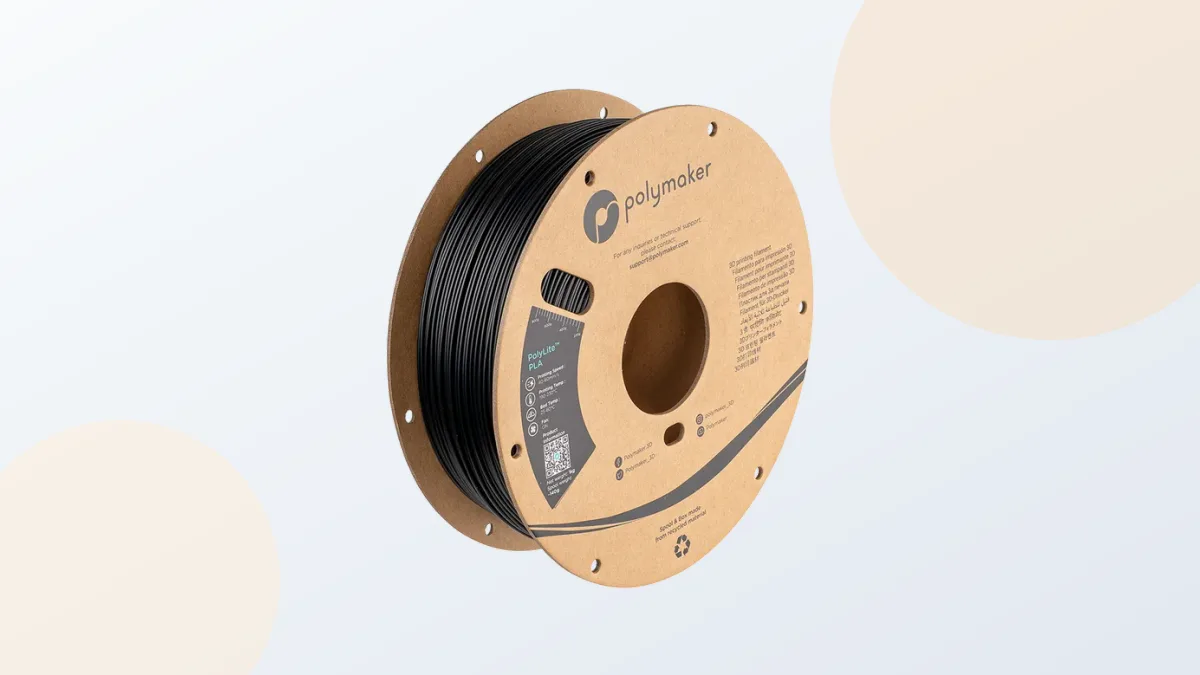
Name-brand PLA, always. It's the lowest-temperature, lowest-fume material, and consistent filament prevents the failed prints that frustrate young makers. Avoid ABS/ASA entirely with kids and leave resin to adults.